CONTACT US
Table of Contents
- Why HD Security Camera Integration Matters for Your Business
- Assessing Your Current Security Infrastructure Gaps
- Planning Your Comprehensive Camera and Access Control Strategy
- Selecting the Right HD Camera Systems for Your Facility
- Structured Cabling and Network Foundation Requirements
- Integration with Access Control and IT Systems
- Implementation Timeline and Facility Coordination
- Testing, Verification, and System Optimization
- Ongoing Monitoring and Maintenance Protocols
- Scaling Your Security as Your Business Grows
- Frequently Asked Questions (FAQ)
Why HD Security Camera Integration Matters for Your Business
HD security camera installation has moved beyond simple surveillance. Today, your camera system must work seamlessly with access control, IT infrastructure, and facility management to provide actionable intelligence and operational efficiency. When these systems operate in silos, you lose critical data connections and create blind spots in your security posture.
We’ve worked with hotel groups, distribution centers, and manufacturing facilities across Southern California, and the pattern is consistent: businesses that integrate their security cameras with broader access control and IT systems experience faster incident response, better facility oversight, and reduced operational friction. A hotel managing 300 rooms needs camera feeds linked to door access logs. A warehouse requires camera coverage coordinated with motion sensors and entry point controls. A manufacturing facility must tie visual records to production schedules and personnel movement.
The financial impact is real. Integrated systems reduce redundancy, streamline staffing requirements, and provide forensic data that resolves incidents faster. Your security investment becomes a business enabler, not just a compliance checkbox.
What to do next: Evaluate whether your current cameras are networked independently or truly integrated with your access control and IT systems. Most businesses discover gaps when they try to correlate a security event across multiple disconnected platforms.
Assessing Your Current Security Infrastructure Gaps
Before planning any upgrade or deployment, you need a baseline understanding of what exists and where the vulnerabilities are. This requires more than walking the facility and noting camera locations.
Start with a physical audit. Document every existing camera, noting:
- Coverage area and angle
- Resolution and image quality
- Network connectivity (hardwired, wireless, or analog)
- Connection to centralized management software
- Condition and age of equipment
Next, map your access points. Where do people enter and exit? Which areas require credential verification? Are these entry points visible to cameras? We’ve found that many facilities have cameras that don’t actually cover their critical access points effectively.
Then evaluate your current network infrastructure. Are cameras on a dedicated security network or mixed with general IT traffic? What bandwidth do they consume? If your network wasn’t designed for video streaming, adding HD cameras will create bottlenecks and poor performance.
Interview your facility and security teams. Ask them where they’ve missed incidents, where blind spots exist, and which areas generate the most false alarms. These conversations reveal practical pain points that spreadsheets don’t capture.
Finally, review your access control system architecture. Does it log entry attempts? Can it timestamp them? Does your current system have the capacity to correlate camera feeds with access events? Many businesses maintain legacy access control systems that can’t communicate with modern camera platforms.
What to do next: Create a simple one-page audit documenting your current coverage, network capacity, and system integrations. This becomes your baseline for planning improvements.
Planning Your Comprehensive Camera and Access Control Strategy
With gaps identified, you can now build a strategy that addresses your specific operational needs rather than installing cameras everywhere.
Define your security objectives first. Are you focused on loss prevention, personnel safety, operational visibility, or compliance? A hotel managing guest safety has different camera placement priorities than a distribution center managing inventory security. These objectives determine coverage areas, camera types, and integration requirements.
Create a deployment map. Prioritize high-value areas: main entrances, credential readers, loading docks, server rooms, and production areas where decisions affect business operations. Secondary coverage fills remaining gaps based on frequency of activity and incident history.
Establish your integration requirements. Which existing systems must connect to your camera platform? If you run access control software, your cameras should feed directly into those event logs. If you use IT monitoring tools, cameras should report into those dashboards. This eliminates the need for staff to switch between multiple platforms during an incident.
Plan for scalability. Your facility may expand, or you may add new building locations. Design your camera infrastructure with growth in mind. A properly planned structured cabling guide ensures you’re not rebuilding network infrastructure every 18 months.
Consider your storage and retention requirements. HD video consumes significant storage. Will you retain 30 days, 90 days, or longer? Will footage stay on-premises or move to a hybrid cloud solution? These decisions affect both your initial capital investment and ongoing operational costs.
What to do next: Schedule a brief meeting with your security, facilities, and IT leadership to agree on core objectives and integration priorities. Write them down. This prevents scope creep and ensures everyone has aligned expectations.
Selecting the Right HD Camera Systems for Your Facility
Choosing camera hardware is where many businesses make costly mistakes. They either select entry-level equipment that creates poor image quality and integration headaches, or they over-specify cameras for areas that don’t require premium features.
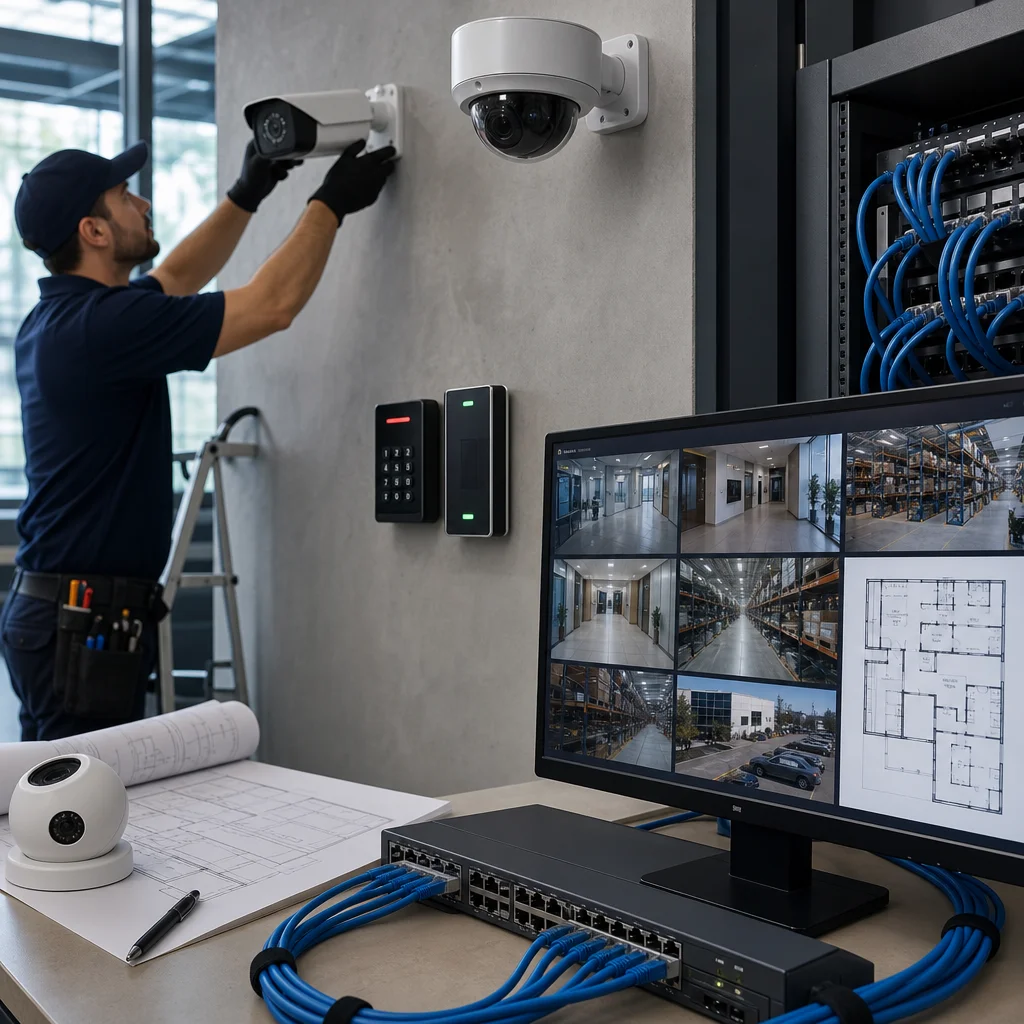
Understand the key HD camera types:
IP cameras with fixed lenses work well for entry points, hallways, and areas with consistent lighting. They’re cost-effective and integrate easily into networked environments.
PTZ (pan-tilt-zoom) cameras provide flexibility for large open areas like parking lots or warehouse floors where you need to track movement or zoom into detail. They require more network bandwidth and management.
Thermal cameras detect heat signatures, making them valuable for perimeter security, after-hours monitoring, and areas where conventional imaging fails (fog, heavy rain, darkness). Hotels rarely need them; distribution centers often do.
Wide dynamic range (WDR) cameras handle lighting extremes, essential for loading docks or areas with mixed indoor-outdoor exposure.
Turret cameras provide vandal resistance and wider viewing angles, common in manufacturing and warehouse environments.
For most mid-sized businesses, we recommend IP cameras with 4MP to 8MP resolution, H.265 compression to reduce bandwidth, and integration support for your access control platform. Over-specification leads to unnecessary costs without proportional security gains.
Match camera selection to environment. A hotel lobby needs different specs than a server room or a loading dock. We’ve seen facilities waste money installing outdoor-grade cameras indoors or high-end cameras in areas where basic coverage suffices.
Verify integration compatibility before purchase. Your cameras must connect to your access control system and IT monitoring environment. This seems obvious but is frequently overlooked during procurement.
What to do next: Request detailed specifications from vendors, not just pricing. Confirm that camera models integrate with your existing access control and IT systems before signing contracts.
Structured Cabling and Network Foundation Requirements
HD security cameras are only as good as the network supporting them. Poor cabling design will undermine even the best camera hardware.
Your cabling infrastructure determines whether cameras deliver consistent, real-time feeds or drop connections during peak usage. A manufacturing facility running production monitoring can’t tolerate latency or dropped frames. A hotel guest complaint line gets flooded if cameras lag during peak check-in times.
Start with dedicated cabling runs. Don’t assume existing network infrastructure can absorb video traffic. HD cameras should run on their own cabling pathways, properly rated for distance and bandwidth. This prevents video traffic from competing with business-critical data networks.
Cat6A cabling supports long runs (up to 100 meters) and future-proofs your investment for emerging HD standards. Cat5e works for shorter distances but limits your flexibility as cameras become more bandwidth-intensive.
Power over Ethernet (PoE) switches simplify deployment. Instead of running separate power cables to each camera, you supply power through the network cable itself. This reduces installation complexity and creates cleaner facility aesthetics.
Consider your facility layout. Where do cameras need to run? Are there physical obstacles, fire-rated walls, or environmental factors (humidity, temperature swings) that affect cabling choices? A structured cabling approach designs around these constraints rather than creating workarounds.
Plan your camera management network architecture. Will cameras live on a segmented VLAN, physically separated from general business traffic? This improves security and performance but requires switch capacity and careful network planning.
Engage qualified cabling professionals early. We see too many installations where cabling decisions are made in a vacuum, then cameras don’t perform as expected because network pathways weren’t properly designed.
What to do next: Before any camera purchase, have a qualified network professional evaluate your existing cabling and recommend upgrades. Don’t wait until cameras are ordered and sitting in boxes.
Integration with Access Control and IT Systems
This is where HD security camera installation becomes genuinely powerful. When your cameras, access control, and IT systems communicate, you gain visibility that isolated systems can’t provide.
Consider a typical scenario: An employee badge access to a restricted area at 2 a.m., outside normal operations. An integrated system immediately flags this event in your IT monitoring dashboard, pulls camera footage from that entrance and the area accessed, and alerts appropriate personnel. Without integration, that badge swipe logs somewhere, the camera recording exists somewhere else, and no one connects the dots until hours later.
Your integrated access control system becomes the logical hub for this data. Camera events timestamp and log alongside door access attempts. Motion detection triggers related to personnel movement. Incident response becomes faster because your team doesn’t hunt across multiple systems.
Ensure your chosen camera platform supports industry-standard protocols like ONVIF (Open Network Video Interface Forum). This prevents vendor lock-in and ensures equipment from different manufacturers can communicate.
Plan your data flows. When camera motion detection occurs, can it trigger access control logs? When an unauthorized access attempt registers, can it automatically record that moment on video? These integrations require careful configuration but deliver exponential security value.
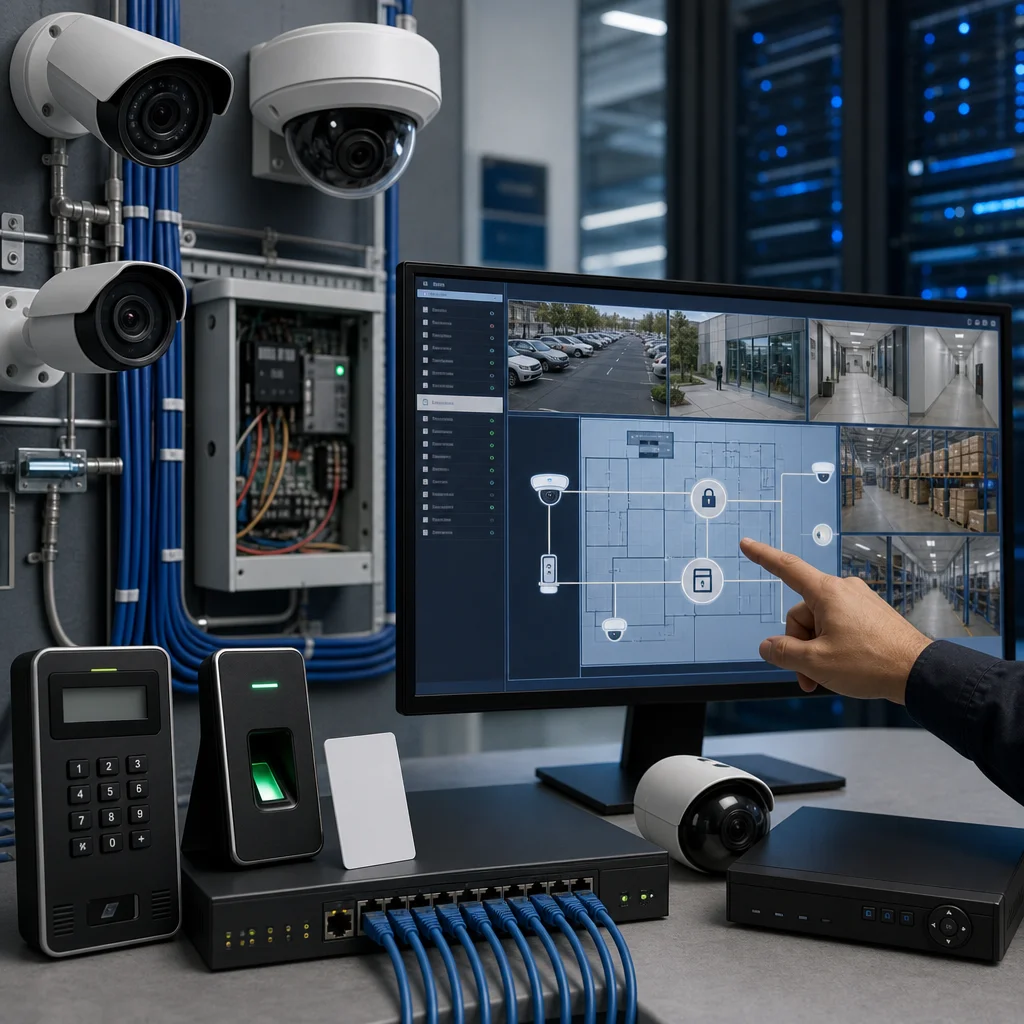
Address your IT security requirements. HD cameras and access control systems represent network endpoints that require patching, monitoring, and protection. Your IT team must have visibility and management control. Security camera systems that operate outside IT governance create vulnerability exposure.
Establish clear communication protocols between security operations and IT support. Who manages camera system updates? Who responds to connectivity issues? Who oversees backup and disaster recovery?
What to do next: Meet with your IT director and security leader together. Discuss which systems must integrate and who owns operational responsibility for each integration point.
Implementation Timeline and Facility Coordination
Installing HD cameras while your facility operates normally requires planning that most businesses underestimate. You can’t just show up with equipment and start drilling holes.
Map installation phases. Which areas can be worked on during off-hours? Which require daytime installation around operational activity? A hotel installation phase is completely different from a manufacturing facility. Guest operations don’t stop for security work, so careful scheduling is essential.
Establish clear facility coordination protocols. Who approves work in each area? How are disruptions minimized? Who manages access to restricted areas during installation? These logistics determine whether your project runs smoothly or creates operational friction that management remembers negatively.
Plan for network downtime. Will cameras connect to existing network infrastructure during installation? If network modifications are required, can you stage them to avoid business disruption? Most facilities can’t tolerate full network maintenance windows, so phased approaches work better.
Budget realistic installation timelines. A distributed facility covering multiple buildings requires more coordination than a single-site installation. Cabling work typically takes longer than camera mounting. Network integration and testing are frequently underestimated.
Create a stakeholder communication plan. Facility managers, IT staff, security teams, and operations leadership all need regular updates. We’ve seen projects derail because people didn’t understand why areas were cordoned off or why network changes were happening.
Identify potential complications early. Will installation require roof access? Coordination with existing telecommunications? Fire code compliance review? Environmental challenges? Planning around these issues prevents panic when they emerge mid-project.
What to do next: Develop a one-page project schedule showing key phases, estimated duration for each, and required facility coordination. Share this with stakeholders before any work begins.
Testing, Verification, and System Optimization
Installation completion doesn’t mean the system is ready for operation. Testing and optimization are where many implementations fail or underperform.
Verify coverage first. Walk every area that should have camera visibility. Are there unexpected blind spots? Are cameras positioned to capture faces at entry points, not just provide general area coverage? Image quality should be sharp and detailed, not washed out or pixelated.
Test network performance under load. Run all cameras simultaneously and confirm feeds stream without latency or buffering. Monitor bandwidth consumption. If your network struggles with full deployment, you’ll discover it now rather than during an incident.
Validate integration connections. Can your access control system pull camera footage? Do motion detection triggers correlate properly with door access logs? Test specific scenarios that matter to your operations.
Confirm storage and retention. Are recordings actually storing to your designated location? Can you retrieve footage from 30 days ago, 60 days ago? Does retention match your designed policy?
Test user access and permissions. Can security staff view footage? Can IT monitor system health? Do different roles have appropriate visibility levels? Poorly configured permissions either restrict necessary access or expose sensitive information unnecessarily.
Optimize settings for your specific environment. Default camera settings rarely match real-world conditions. Adjust frame rates, compression, motion detection sensitivity, and analytics features based on your facility’s actual needs.
Document your final configuration. Record camera locations, network addresses, integration settings, and user credentials in a secure, organized manner. Future troubleshooting depends on accurate documentation.
What to do next: Schedule a formal sign-off process with your security and IT teams before declaring the system operational. Document any issues found during testing and verify they’re resolved.
Ongoing Monitoring and Maintenance Protocols
A security camera system isn’t a set-and-forget investment. Regular monitoring and maintenance determine whether your system continues delivering value or degrades into an underperforming asset.
Establish routine monitoring tasks. Daily checks should verify that cameras are online and recording. Weekly reviews should spot any network issues or performance degradation. Monthly reviews should assess coverage for any environmental changes (lighting shifts, obstructions, equipment repositioning).
Plan preventive maintenance. Clean camera lenses regularly. Environmental dust, insects, or weather exposure degrades image quality. In manufacturing environments, this might mean weekly cleaning. In climate-controlled facilities, quarterly intervals suffice.
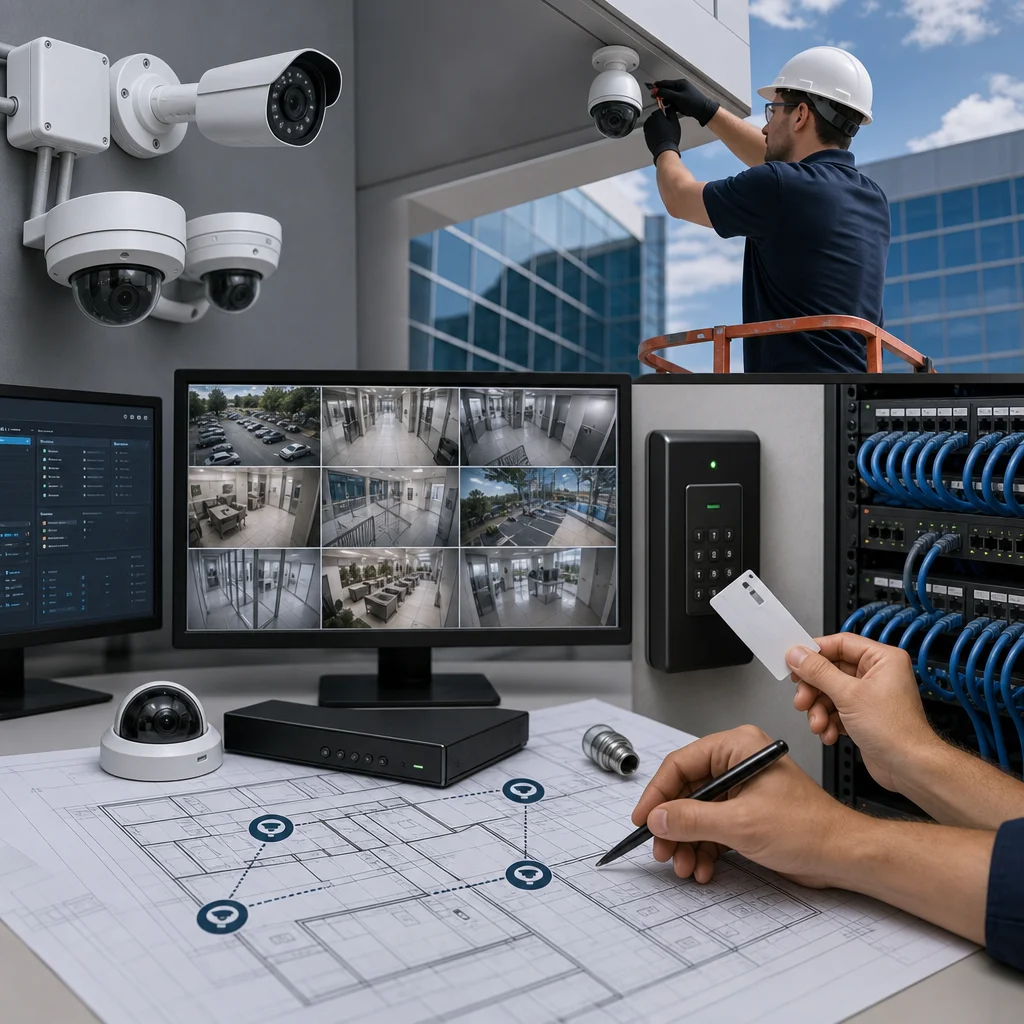
Monitor firmware and security patches. Camera systems and access control platforms receive regular updates that address vulnerabilities and improve performance. Your IT team should have a patch management schedule that includes security camera infrastructure.
Track system health metrics. Are cameras online? Is storage utilization approaching capacity? Are network performance indicators stable? Proactive monitoring catches issues before they impact operations.
Maintain documentation. Update your configuration records when changes occur. Staff transitions require knowledge handoff. Without documentation, institutional knowledge walks out the door with departing employees.
Plan for equipment replacement cycles. HD camera technology evolves. Your cameras won’t last forever. Plan refresh timelines so you’re not caught with obsolete equipment that no longer supports modern integrations.
Establish incident review protocols. When a security incident occurs, does your team properly document it, preserve footage, and extract lessons learned? This feedback loop improves your system effectiveness over time.
What to do next: Create a simple maintenance checklist covering daily, weekly, monthly, and quarterly tasks. Assign responsibility and establish accountability for completion.
Scaling Your Security as Your Business Grows
Your initial HD security camera installation is a foundation, not an endpoint. As your business grows, your security architecture must grow with it.
Design with expansion in mind from day one. Your network cabling, access control platform, and camera management software should support growth without wholesale replacement. A scalable architecture means adding cameras and coverage to new areas without rebuilding core infrastructure.
Monitor capacity as you grow. When you add locations, are network switches adequately sized? Is your storage growing proportionally with additional cameras? Does your access control platform have user license capacity for new facilities?
Maintain consistency across locations. If you expand to multiple facilities, you need standardized equipment and configurations. Staff can’t effectively manage five different camera platforms across different locations.
Plan for increasing integration complexity. Multi-location operations generate more data. Your IT infrastructure and security operations center must scale to handle volume and complexity.
Review your strategy annually. Are your cameras capturing the incidents that matter? Are integrations delivering the insights you expected? As operations evolve, security priorities may shift.
Budget for ongoing technology evolution. Security technology improves constantly. Analytics capabilities advance. Integration options expand. Staying current requires continuous investment, not just initial installation.
What to do next: Discuss your three-year growth plans with your security and IT leaders. Document expansion timelines and implications for security infrastructure. Build these costs into forward budgets now rather than scrambling later.
—
HD security camera installation represents a significant capital and operational commitment. Done properly, it transforms your security posture and operational visibility. The difference between a successful deployment and a frustrating underperformer comes down to planning, integration, and ongoing management.
We work with mid-sized facilities across Southern California that are consolidating fragmented technology vendors into integrated systems. If you’re evaluating security camera solutions and want to ensure they integrate properly with your access control and IT infrastructure, we can help assess your needs and build a comprehensive deployment strategy.
Contact us to discuss your facility’s specific requirements and schedule a facility evaluation.
Frequently Asked Questions (FAQ)
How long does a typical HD security camera installation and integration project take?
We typically complete a comprehensive installation across most mid-sized facilities within 4 to 8 weeks, depending on your facility’s size and complexity. Our timeline includes the assessment phase, structured cabling infrastructure setup, camera installation, access control integration, and thorough testing. We coordinate all work around your business operations to minimize disruption to your daily activities.
What makes structured cabling so important for our security camera system?
We design our cabling infrastructure as the foundation for reliable HD camera performance and future scalability. Properly installed structured cabling ensures consistent video quality, reduces signal degradation, and allows us to seamlessly integrate your cameras with access control and IT systems. This backbone also protects your investment by supporting technology upgrades without requiring complete reinstallation.
Can you integrate our new security cameras with our existing access control and IT systems?
We specialize in consolidating multiple security and IT systems into one unified platform, which is exactly what many of our clients need. Our team assesses your current infrastructure and builds integration points that allow your cameras, access control, and network systems to work together efficiently. This approach eliminates vendor silos and gives you centralized monitoring and management across all your security assets.