
Table of Contents
- The Hidden Cost of Your Current Access Control System
- Why Your Organization Still Relies on Physical Key Cards
- Understanding Bluetooth Mobile Credentials: How They Work
- Security Vulnerabilities in Mobile-Based Access Systems
- The Reliability Challenge: When Technology Fails Your Facility
- Why Physical Key Cards Remain the Enterprise Standard
- Our Integrated Approach: Combining Best-of-Both Solutions
- How Our Access Control System Adapts to Your Business
- Structured Cabling and Infrastructure: The Foundation for Reliable Access
- Managed IT Services to Support Your Security Infrastructure
- Implementing Your Unified Access Control Strategy
- Why Mid-Sized Organizations Choose Our Integrated Solutions
- Frequently Asked Questions (FAQ)
The Hidden Cost of Your Current Access Control System
Your access control system costs more than the initial purchase price. Every lost key card requires reprinting. Every employee who leaves demands credential revocation across multiple doors. Every facility expansion forces you to upgrade infrastructure, sometimes revealing incompatibilities between systems installed years apart.
We’ve worked with mid-sized organizations across Southern California that were shocked to discover how fragmented access control spreads costs across departments. Facility managers handle physical cards. IT teams manage mobile credentials separately. Security oversees camera integration independently. When an incident occurs, nobody has a unified audit trail.
The real expense isn’t the hardware. It’s the operational friction: reconciling access logs across platforms, managing duplicate credential systems, paying separate vendors for integration that should be seamless, and responding to security gaps that emerge from misaligned technology. Organizations often overspend because they never consolidated their vendors or evaluated whether their current system matches their actual security needs.
Start by auditing your current system costs beyond the equipment line items. Include staff time spent managing credentials, vendor coordination overhead, and downtime from access failures. You’ll likely find 30-50% of your budget goes to administration rather than security value.
Why Your Organization Still Relies on Physical Key Cards
Physical key cards remain the default because they’re instantly familiar and require no behavior change from employees. Hand someone a card on their first day, and they understand access immediately. No smartphone dependency. No battery concerns. No tech literacy requirements.
For enterprise environments like hotels, hospitals, and manufacturing facilities, physical credentials offer predictability. A Marriott property manager knows exactly how many cards are in circulation. A pharmaceutical warehouse can physically verify that a terminated employee’s card has been collected. The tactile nature of key cards creates accountability that mobile systems struggle to replicate in practice.
Legacy infrastructure also explains persistence. Many facilities have invested in card readers across 50+ doors. Ripping out hardware and retraining staff represents capital expense and operational disruption. Physical cards integrate with existing systems. Switching to mobile-only requires new readers, new backends, and new policies.
There’s also a maturity factor. Physical cards have 20+ years of deployment history in enterprise settings. Mobile credentials became viable at scale only in the last 5-7 years. Security teams default to proven technology, especially in regulated industries like healthcare and financial services where breach accountability runs deep.
Your organization likely uses physical cards because they work reliably, staff understands them, and your infrastructure supports them. That’s rational. The question isn’t whether to abandon physical cards immediately, but whether your current system is optimized for your actual operations.
Understanding Bluetooth Mobile Credentials: How They Work
Mobile credential systems work by converting your smartphone into an access device. Your phone stores encrypted credentials and communicates with door readers via Bluetooth Low Energy (BLE), the same wireless protocol that pairs your phone with fitness trackers and car systems.
Here’s the basic flow: When you approach a door, your phone detects the reader within range. The reader requests authentication. Your phone’s secure enclave (a hardened chip isolated from the main processor) verifies the credential and communicates permission to unlock. The entire exchange takes less than a second and requires minimal battery drain because BLE operates at extremely low power.
The infrastructure advantage is significant. Mobile systems don’t require new wiring or physical card stock. Existing readers can be upgraded with BLE modules, or you install new readers designed for hybrid operation (supporting both cards and mobile simultaneously). Your access database remains centralized. Revoking access happens instantly across all doors when an employee is terminated.
Mobile credentials also enable nuanced permissions. You can set time-based access that works only during business hours, or assign temporary access to contractors that automatically expires after 30 days. Your IT team adjusts permissions from a dashboard without touching door hardware.
The integration potential matters for facility managers overseeing multiple buildings. One system tracks who entered which zone, at what time, from which door. Combine that with your HD security cameras and you have a complete audit trail for any incident.
However, the convenience comes with dependencies. Employees must carry charged devices. Your facility requires reliable wireless coverage near doors. Your IT infrastructure must support credential provisioning and management systems. Mobile credentials work best when integrated into a broader IT strategy, not deployed as a standalone replacement for physical cards.
Security Vulnerabilities in Mobile-Based Access Systems
Mobile credentials introduce attack surfaces that physical cards don’t have. Smartphones contain sensitive personal data beyond just access credentials. A compromised device could theoretically expose both your building access and an employee’s financial information simultaneously.

Credential interception is theoretically possible but practically difficult. BLE communication uses encryption, and modern mobile credential systems employ certificate-based authentication making replay attacks extraordinarily hard. A genuine concern is if an employee’s phone is stolen or compromised before they can report it. Unlike a physical card where the loss is obvious, phone compromise might go undetected.
Social engineering attacks increase with mobile systems. An attacker could convince an employee to install a malicious app claiming to be a legitimate credential provider, or use phishing to capture login credentials for the credential management platform. The human element becomes more critical.
Network connectivity creates another vulnerability class. A reader that loses Bluetooth connection should deny access or fall back to a secure backup system. Poorly designed systems might grant access anyway to avoid customer frustration, creating security theater rather than actual security.
We take these vulnerabilities seriously when designing access control strategies. Your system must use certificate pinning to prevent man-in-the-middle attacks, require multi-factor authentication for credential provisioning, and implement strict fallback protocols when connectivity fails. The mobile credential system should integrate with your broader security infrastructure so that compromises are detected and contained quickly.
Mobile-only systems create risk concentration. If your credential platform is compromised, every door potentially becomes insecure simultaneously. Physical cards distributed across your facility are inherently more resilient because no single compromise affects the entire system.
The Reliability Challenge: When Technology Fails Your Facility
Bluetooth connectivity isn’t guaranteed in every building environment. Radio frequency interference from industrial equipment, metal structures, or dense concrete can create dead zones. A manufacturing facility with 10,000 square feet of warehouse space might have reliable mobile access at entry points but struggle at interior doors.
Network infrastructure failures cascade. If your credential server goes down for maintenance, hybrid systems should still function using cached credentials and offline fallback modes. But this requires deliberate design and testing. We’ve seen deployments where a firmware update broke fallback logic, leaving employees unable to access their workspace for hours.
Battery drain is a real operational issue. Employees using mobile credentials as their primary access method report noticeable battery drain over the day, especially in facilities with many access points. Some users resort to carrying physical backup cards anyway, defeating the efficiency gains of mobile-only deployment.
For 24/7 operations like hotels and healthcare facilities, reliability translates directly to business continuity. A housekeeping team at a Hyatt property can’t wait for Bluetooth to reconnect. They need to access guest rooms now. If mobile systems fail, the backup protocol kicks in, but that backup needs to be as reliable as the primary system.
Temperature and humidity also matter. Door readers operate outside in Southern California heat, and temperature extremes can affect Bluetooth range and battery performance. We’ve documented cases where outdoor readers functioned perfectly in winter but experienced connectivity issues once summer heat arrived.
This is why we recommend hybrid approaches rather than betting entirely on mobile credentials. Design your system to excel at mobile access but gracefully degrade to physical credentials when technology fails. The best system is one that never forces an employee to choose between security and productivity.
Why Physical Key Cards Remain the Enterprise Standard
Physical cards persist in enterprise environments because they’re fundamentally reliable. A card doesn’t require charging, software updates, or network connectivity. It works in radio-frequency dead zones. It doesn’t accidentally sync to a personal cloud account or get stolen as a phone.
For regulated industries, audit trails matter enormously. A magnetic stripe card or RFID card creates a passive, immutable record. There’s no question whether the employee or someone with access to their phone used the credential. For healthcare facilities handling HIPAA compliance, or pharmaceutical warehouses managing FDA regulations, this simplicity is valuable.
Physical cards also work across heterogeneous systems. A multi-building property management company might have older card readers at one site and newer systems elsewhere. A single physical card standard provides consistency.
We work with property management companies overseeing dozens of buildings where some have legacy infrastructure from 2010 and others installed systems in 2024. Requiring every site to upgrade simultaneously isn’t practical. Physical cards that work across all locations eliminate that upgrade coordination burden.
Employees also resist mandatory smartphone access models. Some team members prefer not to carry company credentials on personal devices. Some use older phone models that don’t support modern credential systems. Some lose phones frequently. Physical cards become necessary for inclusive access policies that don’t exclude anyone from their job function.
The real insight is that physical cards aren’t inferior technology. They’re optimized for different constraints than mobile credentials. In enterprise settings, that simplicity and reliability often outweigh the convenience benefits of mobile systems.
Our Integrated Approach: Combining Best-of-Both Solutions
We design access control systems that deploy both physical and mobile credentials simultaneously, letting your organization choose the best method for each situation. This isn’t compromise. It’s pragmatism.
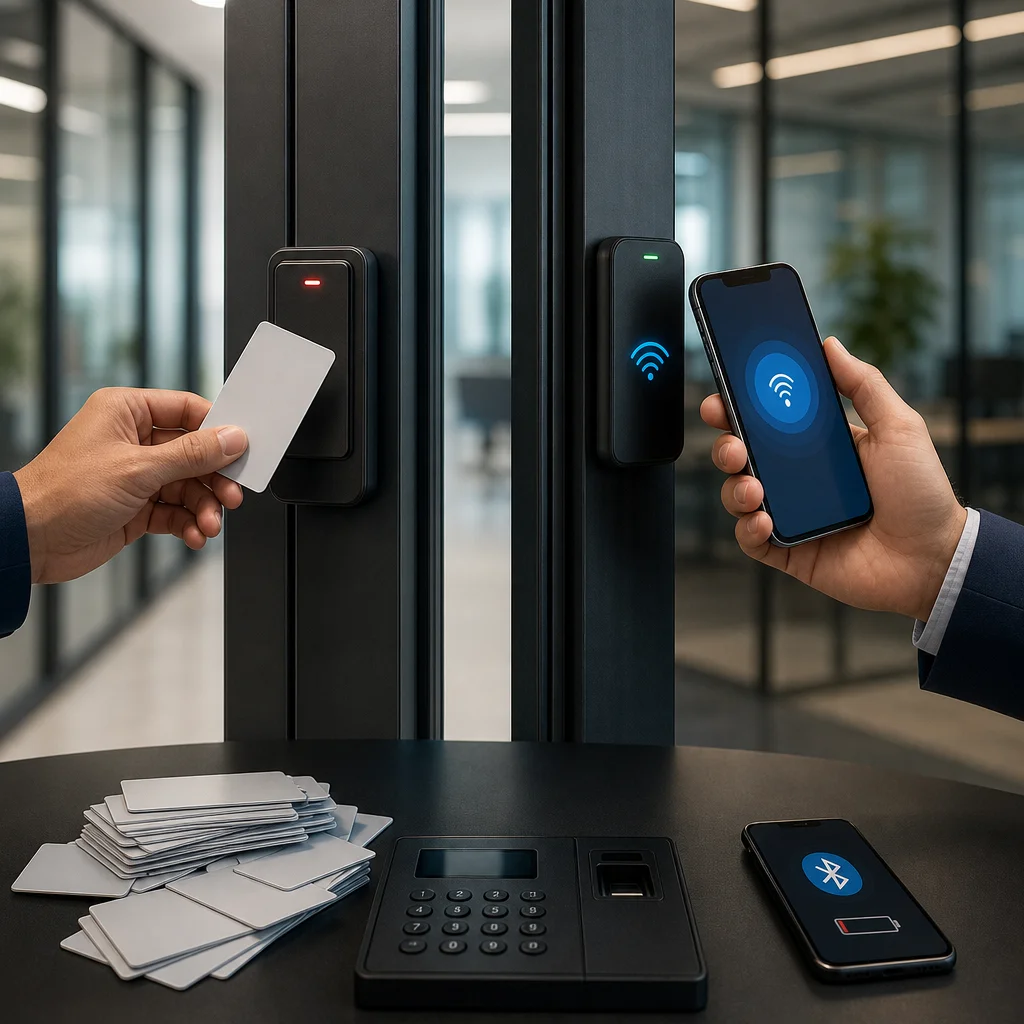
Your primary system supports mobile credentials for employees who want them. Modern readers support contactless card readers and Bluetooth simultaneously. An employee approaching a door can unlock via their phone if it’s convenient, or swipe a physical card if their battery is dead, if they prefer the backup, or if they’re in a Bluetooth dead zone.
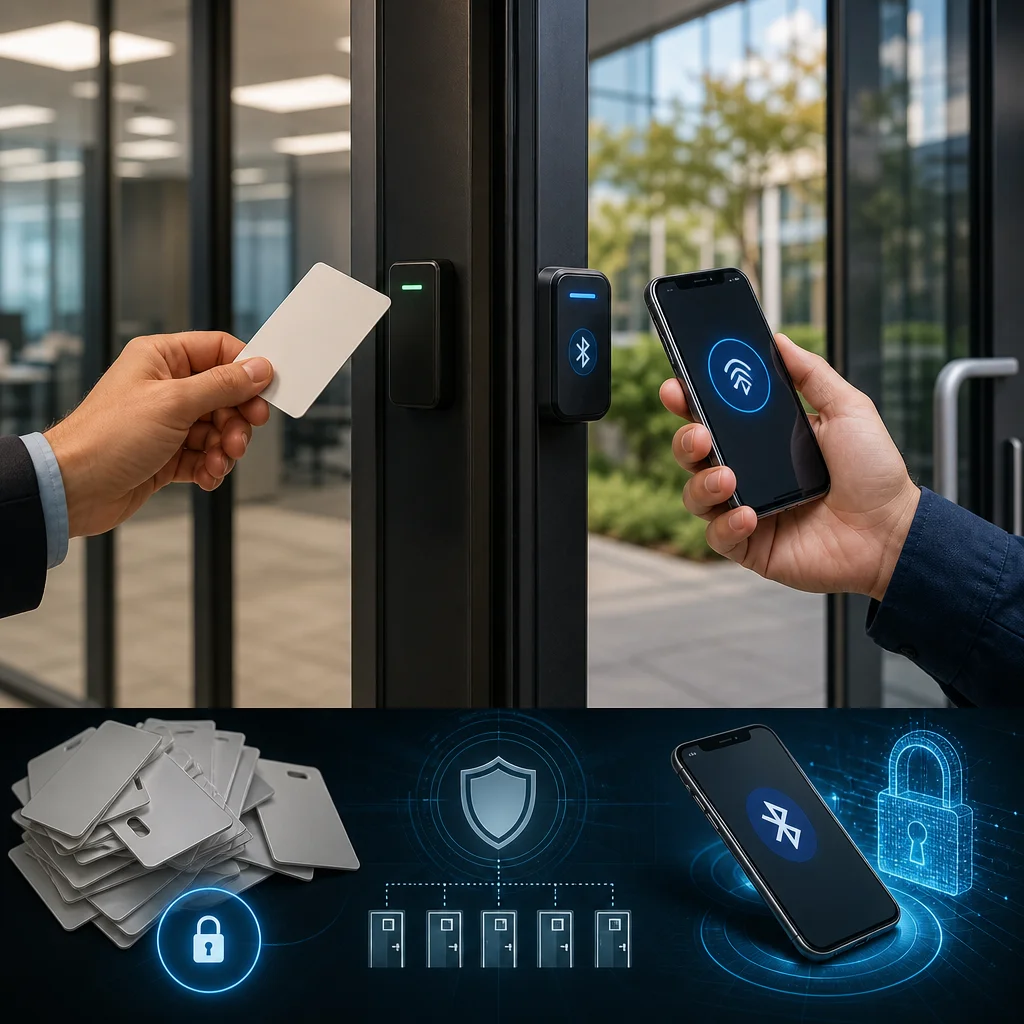
This hybrid deployment also handles the transition smoothly. You don’t flip a switch and force everyone to smartphone-based access overnight. New employees receive mobile credentials primarily, with physical backup cards available. Existing staff keeps their physical cards while the option to go mobile is available. Adoption accelerates naturally as employees experience the convenience.
Your access control becomes part of a unified security infrastructure. We integrate door access with your HD security camera systems so that access logs and video feeds correlate automatically. When an unusual access pattern triggers an alert, your security team can instantly review video of who entered and when. That integration lives in our integrated access control systems that handle both credential types within a single platform.
The backend infrastructure matters as much as the physical readers. Your access control system must connect to structured network cabling that ensures reliable Bluetooth coverage where needed. It must integrate with your managed IT services so that credential provisioning, employee offboarding, and security updates happen systematically rather than ad-hoc.
We’ve deployed this approach at hospitality groups managing 8+ properties simultaneously. Each location uses the same credential system, so the central security office oversees access across all buildings from one platform. Yet individual properties can customize policies based on local needs.
How Our Access Control System Adapts to Your Business
Every facility operates differently, and we design systems to match your specific operations rather than forcing you into a one-size-fits-all template.
For hotels and hospitality properties, we configure time-based access that matches your operational model. Staff entering at 6 AM gets access to service areas. Guest access works only in their assigned room and common areas. Contractors working on specific floors get credentials that expire when their project completes. All permissions update instantly without requiring anyone to visit a badge office.
Manufacturing and distribution facilities need different logic. Your credentials might work only during shift hours. Access to certain areas (hazmat storage, quality control labs, executive offices) requires multi-factor authentication even for credentialed employees. We implement geo-fencing so that access is denied if someone attempts to use another person’s credential in a different building location simultaneously.
Healthcare facilities have unique compliance requirements. We ensure that access logs are immutable, meeting HIPAA documentation standards. Badge access to medication areas triggers automatic alerts. Patient privacy corridors restrict access to credentialed staff only.
Your system adapts as your organization grows. Opening a new facility doesn’t require replacing your entire infrastructure. We extend your existing credential platform, add new readers, and expand Bluetooth coverage without starting over.
Configuration flexibility extends to how you manage credentials. Some organizations prefer centralized control where the IT department provisions and revokes access. Others want managers to control access for their teams using a self-service portal. We support both models and can transition between them as your needs change.
Structured Cabling and Infrastructure: The Foundation for Reliable Access
Access control reliability depends entirely on your underlying network infrastructure. Mobile credentials require consistent Bluetooth coverage. Video integration requires bandwidth for camera streams. Credential provisioning requires secure connections to your backend systems.
This is why structured cabling isn’t a separate infrastructure project. It’s fundamental to your access control system working as designed. We plan cabling during the access control deployment, not as an afterthought. Bluetooth access points need power and network connections positioned strategically so that coverage extends through doorways without dead zones. Video cameras need dedicated network runs so that access control and security camera traffic don’t compete for bandwidth.
Poor cabling design undermines even excellent access control hardware. We’ve seen deployments where readers were installed perfectly but Bluetooth signals couldn’t reach past metal framing. The credential system worked technically but failed operationally because the building’s physical structure interfered with wireless communication.
Our structured cabling approach accounts for your specific building environment. In a warehouse with high metal content, we might recommend more Bluetooth access points and strategically positioned repeaters. In an office building with modern construction, standard spacing works well. The cabling infrastructure is designed during planning, not discovered during troubleshooting.
Structured cabling also future-proofs your access control. As newer credential systems emerge, your cabling backbone supports upgrades without requiring new runs. Your IT infrastructure grows as your security needs evolve, not in isolated bursts that create integration problems.
Managed IT Services to Support Your Security Infrastructure
Your access control system only functions as well as the IT infrastructure supporting it. Credential provisioning requires user directory management. Employee offboarding needs automated credential revocation. Mobile credential updates require careful software deployment that doesn’t break fallback systems.
We provide managed IT services that oversee your entire security infrastructure. This means your access control system integrates properly with your network, your identity management, and your backup systems. When your facility expands or your employee roster changes, your access control adapts automatically because your IT backend is configured to handle it.
Managed IT services prevent the common scenario where access control becomes fragmented. The facility manager manages physical cards. The IT department manages mobile credentials separately. Security oversees camera integration independently. When something breaks, nobody owns the problem holistically.
Our integrated approach means one team understands your complete security infrastructure. We monitor access control health continuously. We push firmware updates to door readers at optimal times. We manage credential provisioning across multiple locations simultaneously. We maintain fallback systems so that if your internet connection fails, your facility remains secure and operational.
For mid-sized organizations operating multiple facilities, managed IT support becomes essential. You lack the staff to maintain each system independently. You need a partner that provides systematic oversight rather than reactive firefighting when problems emerge.
Implementing Your Unified Access Control Strategy
Deployment of a hybrid physical and mobile access control system happens in phases, not as a disruptive cutover. We typically start by understanding your current infrastructure, then propose a phased rollout that minimizes operational disruption.
Phase one involves infrastructure planning and installation. We assess your building’s wireless characteristics, plan structured cabling runs, and position Bluetooth access points to ensure coverage. We schedule installations during low-traffic periods. Your team doesn’t need to modify their daily operations.
Phase two deploys new readers on high-priority access points. These readers support both physical cards and mobile credentials. We test the system thoroughly before employees use it for actual access control. This phase typically runs 2-4 weeks depending on facility size.
Phase three onboards your employees. We provision mobile credentials to staff who want them, while keeping physical cards available as backup. We don’t force adoption. We demonstrate the convenience, and adoption typically accelerates naturally. Training is minimal because mobile credentials use the same access patterns employees already understand.
Throughout implementation, your access control system integrates with video surveillance so that video and access logs correlate automatically. Your facility gains security awareness far beyond what either system provides independently.
The implementation timeline depends on your facility size and complexity, but most mid-sized organizations complete deployment within 6-12 weeks. Your business operates normally throughout. There’s no day where access control is down or employees are locked out.
Why Mid-Sized Organizations Choose Our Integrated Solutions
Mid-sized organizations face unique challenges that neither small businesses nor enterprises typically encounter. You’re large enough that multiple vendors become unmanageable but not large enough to justify an internal IT security team. You have enough geographic spread that centralized control matters, but not so much that you can deploy separate security teams per location.
We understand this operating model because we’ve worked with it repeatedly. Hotel companies managing 3-15 properties need unified access control that their central office can oversee but their individual properties can customize. Manufacturing facilities spanning 150,000 square feet need credential systems that work reliably in challenging radio environments but remain simple enough for staff to understand.
Our integrated approach addresses these exact constraints. You get enterprise-grade security and reliability without the complexity or cost of enterprise-scale systems. Your access control, security cameras, and IT infrastructure work together instead of existing in silos. Your central team has visibility across all locations from one platform.
The decision isn’t really mobile versus physical credentials. It’s whether you integrate your access control with your broader security and IT infrastructure, or whether you let it remain fragmented. Organizations that choose integration gain visibility, efficiency, and compliance. They spend less on vendor coordination and more on actual security value.
We’ve deployed access control systems at more than 300 facilities across Southern California. We understand your building’s challenges because we’ve worked in similar environments. We understand your compliance requirements because we’ve helped other organizations in your industry meet them.
Your next step is straightforward: audit your current access control costs and capabilities, then schedule a conversation with our team to discuss what an integrated system would look like for your specific facilities. We’ll assess your infrastructure, propose a phased implementation, and show you exactly what unified access control delivers that your fragmented systems can’t provide.
Frequently Asked Questions (FAQ)
What’s the best access control solution for our Southern California facility?
We recommend our integrated approach that combines the convenience of mobile Bluetooth credentials with the reliability of physical key cards as a backup. This hybrid strategy ensures your team maintains access even if technology fails, while still enjoying the benefits of modern mobile authentication. We design each system around your specific operational needs, facility layout, and security requirements.
Why does our structured cabling infrastructure matter for access control?
We’ve found that a robust cabling foundation is critical for consistent system performance across your entire facility. Quality infrastructure prevents the connectivity issues that plague many access control deployments, ensuring your mobile credentials and physical systems work reliably when your team needs them. We handle the entire installation, from cabling to integration, so everything functions as a cohesive security ecosystem.
How do we support your access control system once it’s installed?
Our managed IT services team actively monitors your security infrastructure and handles ongoing maintenance, updates, and troubleshooting. We’re here to resolve issues quickly so your operations continue uninterrupted, and we adapt your system as your business grows or your security needs change.