AI video analytics for commercial properties need careful configuration: the system must know which activity matters, where to look, and when to flag it. Rules can focus attention on events such as movement in a restricted area or loitering near an entrance, instead of treating every motion as a threat. AI identifies activity; a person assesses its context and decides whether action is needed.
That distinction matters because useful analytics depend on rules suited to the property, not simply on switching cameras on. This article explains how configuration shapes alert quality, how AI video search can help locate relevant footage, and what may happen after suspicious activity is detected. It also covers how alert review and system design fit into a practical commercial security approach.
Key Takeaways
- Configure detection rules around a property’s operating hours, restricted areas, and activity that merits attention.
- Use visual search criteria such as vehicle type, color, direction, or location to narrow footage to relevant events.
- Treat AI alerts as prompts for human review: context helps distinguish concerning activity from routine movement.
- Remote Monitoring Management can support a coordinated review and response process when alerts need attention.
What happens after AI detects suspicious activity?
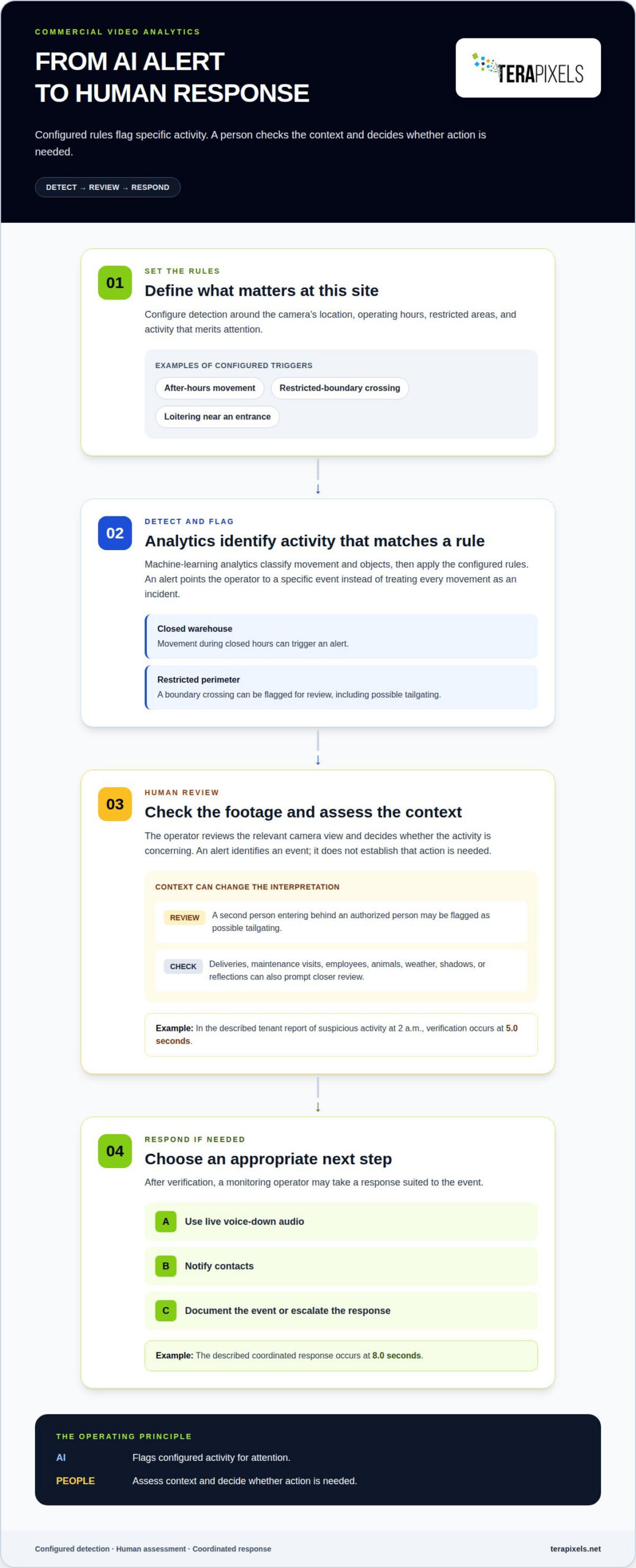
Configured detection rules flag events such as after-hours movement, loitering, or crossing a restricted-area boundary. The alert gives an operator a specific event to assess, rather than treating every movement as a security incident.
After-Hours and Restricted-Area Alerts
Machine-learning analytics classify movement and objects, then apply rules suited to a camera’s location and operating hours. For example, movement in a closed warehouse or entry across a restricted perimeter can trigger an alert. This helps teams focus on activity that conflicts with the property’s schedule or access boundaries.
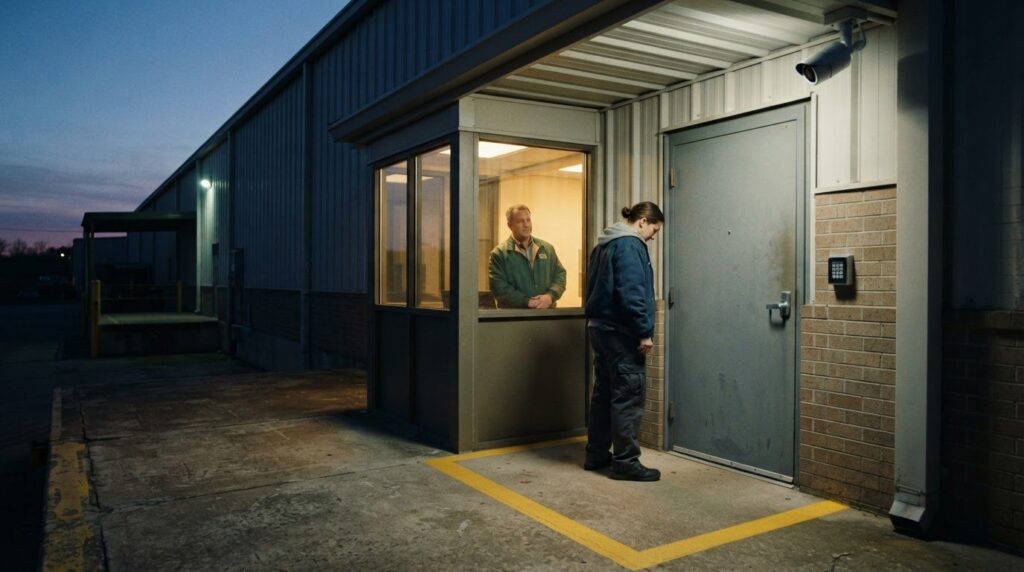
A tenant report of suspicious activity at 2 a.m. illustrates why recorded context matters: the operator can review the relevant camera view and assess what happened. In the described example, verification occurs at 5.0 seconds. A boundary alert can also help flag possible tailgating, such as a second person entering behind an authorized person, for human review.
Detect, Respond, and Prevent Monitoring
Detect, Respond, and Prevent describes a monitoring approach: analytics flag activity, an operator reviews it, and an appropriate response may follow. This sequence matters because an alert identifies an event, while context helps determine whether it needs action.
At the perimeter, rules can flag line crossings, loitering near an entrance, or vehicles entering a defined area. Vehicle activity in parking can be reviewed alongside the camera footage, while suspicious movement in a space expected to be empty can prompt a closer look. After verification, a monitoring operator may use live voice-down audio, notify contacts, document the event, or escalate the response. The described coordinated response occurs at 8.0 seconds. Human review also helps separate concerning behavior from routine deliveries, maintenance visits, or weather-related movement.
What is AI video search in commercial security?
AI video search helps authorized users locate relevant moments in recorded camera footage. Its usefulness depends on clear search criteria, camera compatibility, and usable images.
Rapid Searches Across Camera Footage
Visual search applies filters to recordings, helping users find relevant activity without reviewing every camera timeline. A property manager might search for a light-colored truck near the loading area between midnight and 3 a.m.
Depending on the platform, searches may use a person or vehicle, color, direction, similarity, or an area of interest. Results can narrow footage for incident review, including at industrial sites with multiple cameras. This can make a specific package delivery or vehicle visit easier to investigate than relying on continuous viewing alone.
Camera Compatibility and Feature Verification
The right platform for a commercial property fits its cameras, software, search needs, and user-access requirements. Older analog systems are generally not compatible, while newer IP cameras often support analytics; some platforms also work with existing hardware.
Before deployment, verify the feature on the exact camera model and variant, firmware, recorder or video management software version, application, and license. An installed-system demonstration can show whether the promised search works and returns retrievable results. System cost depends on factors such as camera compatibility, licensing, processing, and project scope; pricing is provided after a quote request.
Activities AI Cameras Can Flag
Features may include person and vehicle searches, attribute filters, timeline tracking, and alerts for loitering or boundary crossings. Object classification identifies what appears in footage; identity-related recognition is a separate function.
Light, reflections, camera placement, and image quality affect results. Shadows, animals, weather, employees, deliveries, and maintenance visits can also trigger alerts. For privacy and cybersecurity, consider signage, employee communication, footage retention, access permissions, and secure system configuration. To choose and implement a system, match its functions to site priorities, assess camera views, then demonstrate searches and user access. Commercial video analytics planning can help align those requirements.
AI video surveillance and analytics
Traditional surveillance records video for later review. AI analytics can also classify objects, detect patterns, and flag events. AI video analytics for commercial properties can help teams locate relevant footage without relying solely on passive viewing.
These systems analyze live security-camera feeds and apply configured rules to activity, such as movement in an empty space. They may flag a person, vehicle, or boundary crossing, but an alert alone does not establish whether action is needed. An operator can consider context, such as whether a vehicle is making a scheduled delivery.
A commercial property may have more than 8,000 hours of video footage go unwatched each week. Analytics can surface relevant moments for review, documentation, or escalation. AI video analytics for commercial properties can therefore support incident review while leaving decisions to people who can assess the circumstances.
For properties with several locations, cloud-managed video can centralize camera access, user administration, system health monitoring, and reporting. A manager can review activity remotely, investigate an incident, or verify maintenance without visiting the site. This adds operational visibility without making automated detection a substitute for human judgment.
In retail, analytics may flag behavior that suggests possible theft before inventory leaves the store, giving loss-prevention teams time to assess it. Beyond security, businesses also leverage computer vision for visitor traffic insights, where specialists like Smart Urban Sensing Ltd deploy AI-driven people counting and footfall analytics. Privacy planning matters too. Consider employee communication, visitor policies, signage, footage retention, and access permissions.
Terapixels Systems: Remote Monitoring Management
Terapixels Systems provides Remote Monitoring Management for commercial properties that need a coordinated way to review security activity. When AI alerts need human assessment, remote monitoring can help connect detection with review and follow-up.
Effective analytics also depend on the systems that support them. Cloud-Based Surveillance Systems help organize video access, while Structural Cabling supports the network infrastructure carrying camera data. Cyber Security addresses the protection of connected systems and information. These services can support a property planning an analytics deployment or improving how surveillance, network infrastructure, and security operations work together.
A useful next step is to define areas of concern, which events should generate alerts, and how those alerts will be reviewed. This gives system design a clear operational purpose and helps align monitoring with the property’s needs.
Contact Terapixels Systems to discuss your commercial monitoring requirements.
Turn Analytics Into a Property Plan
Before expanding surveillance, define which areas need attention, how alerts should be reviewed, and who owns follow-up. This operational plan gives analytics a clear role before technology choices and system changes are made. It also helps decision-makers set priorities that connect security operations with the property’s daily needs.
Terapixels Systems offers Remote Monitoring Management, Cyber Security, and Structural Cabling. These services address monitoring, digital protection, and the connectivity that supports a commercial surveillance environment. Consider current constraints and future priorities together to shape a coordinated plan. Properly planned AI video analytics for commercial properties can support broader property security goals instead of becoming an isolated technology project.
A thoughtful plan can make the next technology decision clearer and more manageable.
Frequently Asked Questions
Why do video analytics need to be configured?
Configuration tells analytics which events matter at a particular property. A loading entrance may need vehicle activity reviewed during closed hours, while a staffed lobby has routine movement throughout the day. Setting relevant zones, schedules, and event types helps align alerts with actual operating conditions. Review the rules as tenant use or building operations change to keep detection relevant.
Do AI security cameras replace human operators?
No. AI cameras identify activity according to configured rules, but operators bring judgment to decisions that depend on context. A delivery at a loading bay may be expected, while an unfamiliar vehicle there outside receiving hours may warrant review. Human assessment helps determine whether to document an event, contact a responsible person, or take another appropriate action.
How does intelligent video search help property managers find footage fast?
AI video search lets authorized users narrow recordings using visual details instead of reviewing camera feeds one by one. For example, a manager investigating a damaged gate could search for a vehicle near that entrance, then refine results by direction or time range. This creates a focused set of clips for review and incident documentation, rather than requiring a broad manual scan.
How does this reduce risk across a property portfolio?
Consistent analytics settings and centralized review can help teams apply shared security priorities across multiple locations. Portfolio managers can compare recurring alert categories, identify sites with repeated perimeter events, and direct attention to those patterns. A shared approach also supports consistent incident records, helping internal teams see where follow-up or operational changes may be useful.
What Can AI Security Cameras Help Detect?
Depending on camera views and configured features, analytics can flag people, vehicles, packages, loitering, boundary crossings, and movement in areas expected to be empty. A property team might use vehicle detection to review parking activity or package detection around a receiving area. These classifications describe visible activity; they do not establish a person’s identity or prove intent.