CONTACT US
Table of Contents
- 1. Implement Scalable Network Architecture
- 2. Design for Security and Access Control Integration
- 3. Plan for Redundancy and Failover Systems
- 4. Establish Clear Network Segmentation
- 5. Optimize Bandwidth and Performance Management
- 6. Deploy Structured Cabling Infrastructure
- 7. Integrate Physical Security with Network Systems
- 8. Establish Comprehensive Monitoring and Management
- 9. Create a Future-Proof Technology Roadmap
- Frequently Asked Questions (FAQ)
1. Implement Scalable Network Architecture
A well-designed network isn’t just about internet speed. It’s the backbone that connects your security systems, access controls, cameras, and day-to-day operations into one cohesive infrastructure. When networks fail or fragment, you face downtime, security gaps, and operational chaos.
The challenge most midsize business leaders face is balancing growth with stability. You need a network that handles your current workload while leaving room for the security systems, employee expansion, and technology upgrades you’ll add over the next three to five years. Too often, networks get built reactively, adding switches and cabling as problems emerge. That approach creates technical debt, security vulnerabilities, and hidden costs that compound over time.
Scalability isn’t just about adding more devices. It’s about designing a network structure that grows without breaking. Most midsize businesses make the mistake of assuming their current setup will handle 50 percent more users, endpoints, and connected systems. In reality, network performance degrades non-linearly as load increases.
We recommend a hierarchical network design with three distinct layers: the access layer (where devices connect), the distribution layer (where traffic gets managed and segmented), and the core layer (where data moves at maximum speed). This three-tier model prevents a single point of congestion and lets you expand each layer independently based on demand.
Consider a hotel property with 200 rooms, back-of-house operations, and guest-facing services. The access layer includes individual floor switches serving guest rooms and staff areas. The distribution layer aggregates that traffic and applies policies based on traffic type. The core layer connects all distribution switches and links to your ISP and external systems. When you add 100 rooms three years from now, you upgrade the access layer without touching the core. When you integrate a new security system, the distribution layer handles the policy changes.
Switch selection matters more than people realize. We deploy managed switches with built-in features for QoS (quality of service), VLAN tagging, and sufficient port density to grow with your business. Unmanaged switches are cheaper upfront but create inflexible bottlenecks as you scale.
Your action: Audit your current network topology. If you can’t clearly identify three layers, or if you have more than two devices in a single chain of connectivity, your architecture is vulnerable to scaling failures.
2. Design for Security and Access Control Integration
Security isn’t an afterthought bolted onto the network. Modern physical security (access control, cameras, intrusion detection) all depend on the network. When the network isn’t designed with security requirements in mind, you end up with insecure workarounds: using default credentials, disabling features, or creating isolated systems that don’t communicate.
We design networks around the assumption that your integrated access control security systems need enterprise-grade reliability, isolation from guest or unauthorized traffic, and real-time failover capability. This means dedicated network resources for security systems, separate from general business traffic.
For a warehouse or distribution center, this translates to a security VLAN that carries access control readers, badge systems, and camera traffic independently from your inventory management systems and office workstations. If your office network gets saturated or compromised, your physical security continues operating unaffected.
The integration point matters. Your access control system and security infrastructure need to reach the network without being exposed to casual network traffic or vulnerable to accidental misconfiguration. We achieve this through network segmentation and policy enforcement at the distribution layer, not through physical isolation that creates blind spots.
Many organizations we work with initially resist dedicated security network resources, viewing them as unnecessary expense. Experience shows the opposite. A security breach or network failure that temporarily disables access control in a multi-building property costs far more than proper network design.
Your action: Map every security device you have or plan to deploy (access control panels, credential readers, cameras, intrusion sensors) and identify the network path each device takes. If that path crosses general office traffic or runs through unmanaged switches, redesign it.
3. Plan for Redundancy and Failover Systems
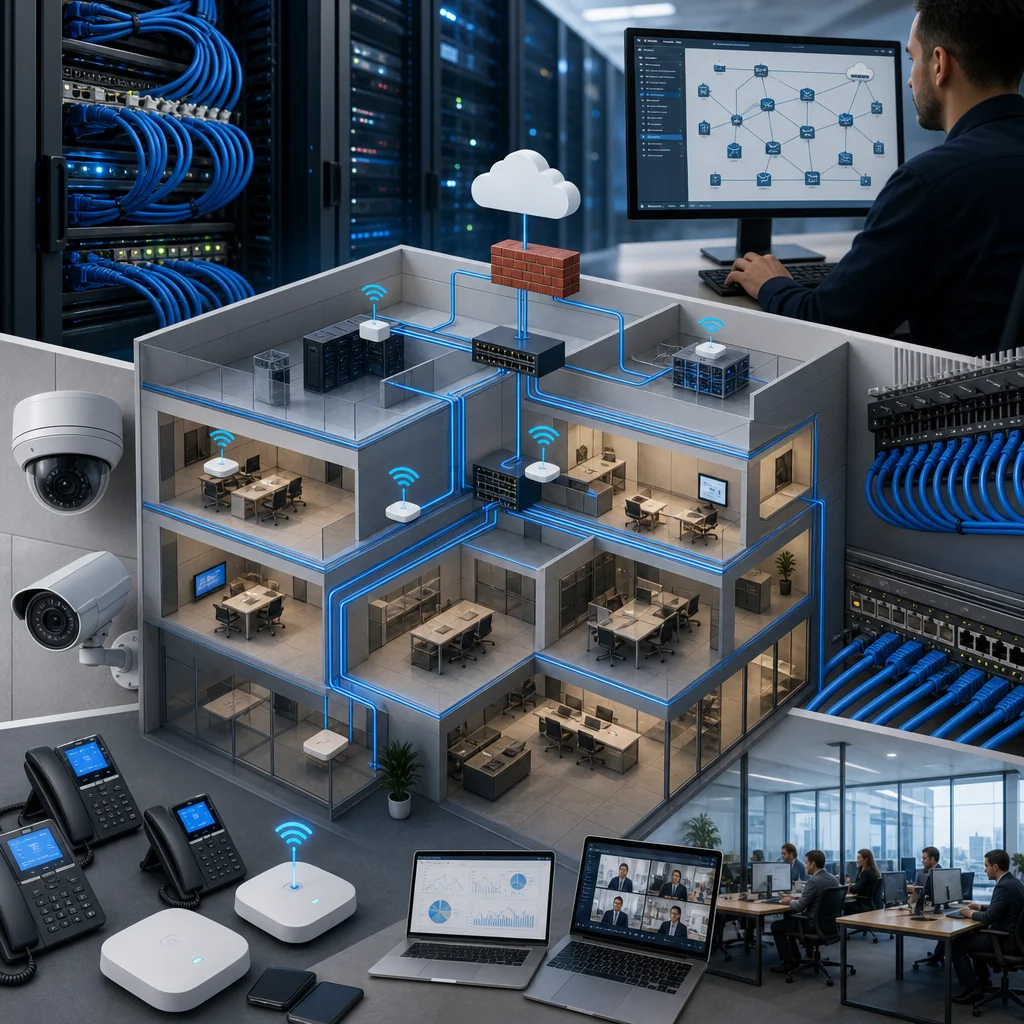
Redundancy isn’t redundant. Midsize businesses often operate on the assumption that their primary link to the internet and primary network uplink will stay up indefinitely. When it fails, everything stops.
We implement redundancy at multiple levels. Dual internet connections from different ISPs ensure that a single provider outage doesn’t isolate your facility. Redundant switches in critical locations mean that a single switch failure doesn’t segment your network. Redundant uplinks from access layers to distribution layers prevent chokepoints.
The cost of redundancy is typically 20 to 35 percent higher than a non-redundant design. The cost of an 8-hour network outage at a hotel, distribution center, or clinic is often 10 to 50 times higher. Do the math on your specific operation, but understand that redundancy is insurance with measurable ROI.
Failover needs to be automatic and transparent. You don’t want a situation where your network is technically redundant but requires manual intervention to switch over. That introduces human error and delay. We deploy managed switches and routers that automatically detect link failures and reroute traffic in milliseconds.
For access control systems specifically, redundancy means your readers and panels can operate offline temporarily while still maintaining access to authorized badge holders. This requires proper configuration and integration. It’s not possible with every system, so redundancy requirements should drive your access control vendor selection.
Your action: Test your failover systems quarterly. Many businesses discover their redundancy only exists on paper. Conduct a controlled failover test in each major network segment, document the behavior, and verify automatic recovery works as designed.
4. Establish Clear Network Segmentation
Network segmentation is the single most effective control against both accidental and malicious security breaches. It limits the damage if one segment is compromised and prevents unauthorized lateral movement.
We typically recommend at least four primary segments for midsize organizations: guest or external traffic (if applicable), general business traffic, security systems and physical infrastructure, and management/administrative access. Each segment operates within its own VLAN, has dedicated switch ports, and has explicit rules governing what traffic can flow between segments.
A hotel property we work with segments guest WiFi completely from back-of-house systems. A distributor we partner with keeps inventory management separate from finance systems, which are separate from physical security. This segmentation prevents a compromise in one area from cascading through the entire network.
The enforcement point matters. VLAN tagging alone isn’t enough. You need a managed core switch or firewall that enforces policies about what traffic is allowed between segments. Otherwise, a compromised device in one segment can potentially reach any other segment on the same physical network.
User access should also be segmented by role and necessity. A housekeeping employee at a property shouldn’t have the same network access as a manager. A warehouse operator shouldn’t reach the same systems as corporate accounting. This principle, called the principle of least privilege, is often overlooked in small and midsize networks but essential for large-scale security.
Your action: Document your current network segments (or lack thereof). If you have more than 50 users on a single flat network, or if your security systems share the same network switch as guest WiFi or general office traffic, segmentation redesign is urgent.
5. Optimize Bandwidth and Performance Management
Bandwidth is the scarce resource that appears unlimited until it’s not. Most midsize businesses provision bandwidth based on their current peak usage. They assume growth will be gradual. Reality intervenes with video surveillance expansion, remote work requirements, or new cloud-based services nobody planned for.
We recommend a bandwidth strategy that accounts for current usage, projects growth over three years, and identifies which traffic types are most critical. Security camera feeds, access control heartbeats, and voice over IP calls can’t tolerate jitter or delay. Guest WiFi and background data synchronization can tolerate degradation.
Quality of Service (QoS) configuration lets you enforce those priorities. Your network can be programmed to guarantee minimum bandwidth for critical services while allowing non-critical traffic to use excess capacity. Many businesses never configure QoS because it seems technically complex. Modern managed switches make it straightforward through simple user interfaces.
For a typical midsize facility, we recommend:
- Video feeds get guaranteed minimum bandwidth (usually 5-10 Mbps per camera depending on resolution)
- Access control systems get priority treatment and fail-safe handling if bandwidth drops
- VoIP traffic gets QoS priority over email and web browsing
- Guest or public WiFi gets access to remaining capacity after critical systems are served
Monitoring your bandwidth usage patterns reveals where growth is happening. After six months, you’ll see spikes that help predict when upgrades are needed. Most networks aren’t monitored, so growth surprises you mid-crisis.

Your action: Enable basic NetFlow logging on your core switch for 30 days and analyze traffic patterns by destination and protocol. The data will show you where your bandwidth actually goes versus where you assumed it went.
6. Deploy Structured Cabling Infrastructure
Cabling is the physical foundation that everything else sits on. Poor cabling practices create performance problems that are nearly impossible to diagnose because people assume the issue is devices or software. We deploy structured cabling that follows commercial standards and anticipates future growth.
Proper structured cabling means:
- Dedicated vertical runs (risers) between floors that have excess capacity
- Organized patch panels that allow easy rerouting without disrupting service
- Cable management that prevents kinks, crushing, and temperature damage
- Separation of high-voltage electrical cabling from network cabling to prevent interference
- Proper termination standards and testing to verify signal integrity
Many facilities we inherit have cabling that’s decades old, mixed standards, and poorly documented. That cabling becomes the constraint limiting everything else. Upgrading cabling is disruptive and expensive, which is why getting it right initially matters so much.
We recommend running at least Category 6A cabling for all permanent installations. The incremental cost over Category 6 is minimal, but the future-proofing value is substantial. We also recommend running conduit in larger facilities so cable replacement in the future doesn’t require wall disruption.
For security systems, cabling runs should be separate from power runs where possible. Access control readers, cameras, and intrusion sensors all operate at low voltage. Routing those cables parallel to high-voltage power creates noise and potential interference. It also creates safety issues if misconfigured.
Your action: Have a professional cabling audit completed. Identify mixed standards, underdocumented runs, and areas where cabling is at capacity. Budget remediation work for the next fiscal period before cabling failures force emergency replacement.
7. Integrate Physical Security with Network Systems
The convergence of physical security and IT networks is one of the most transformative shifts in facility management. Your access control system, security cameras, and intrusion detection all move onto the network. This creates immense capability but also complexity.
When we design access control integration, we ensure that the system can operate in degraded mode. If the network goes down, installed access control readers should still authenticate against cached credentials and maintain a log that syncs when the network recovers. This isn’t possible with every access control vendor. It’s a critical requirement we enforce in vendor selection.
We also design the network so that your access control system can operate independently of your IT helpdesk. A misconfigured firewall rule shouldn’t disable your ability to grant or revoke access. The security infrastructure should have its own network path with its own policies and its own management interface.
We integrate reader hardware that communicates through encrypted, authenticated protocols. That means your access records are protected, credential transmission can’t be intercepted, and the system resists tampering.
Many organizations struggle because they try to force physical security systems to fit IT network requirements instead of designing the network around security requirements. Access control systems have different reliability expectations than office workstations. They need different maintenance windows. They need different recovery procedures. The network should accommodate those differences, not force alignment.
Your action: Interview your access control vendor about offline operation, automatic failover, and their preferred network architecture. If they have no answers or defer to IT staff, that’s a red flag. The vendor should have clear opinions about how their system should be integrated.
8. Establish Comprehensive Monitoring and Management
A network that isn’t monitored is a network that’s failing in ways nobody notices until impact is severe. We deploy monitoring and alerting systems that track network health continuously and alert you before problems cascade.
Monitoring covers:
- Link status and bandwidth utilization on all critical connections
- Device health (temperature, power supply status, memory utilization)
- Response time and packet loss for critical network paths
- VLAN functionality and inter-segment traffic patterns
- Security appliance status and policy enforcement

For midsize organizations, we typically recommend a centralized monitoring dashboard that shows network health at a glance. Green indicates healthy. Yellow indicates trending toward problems. Red indicates active issues requiring immediate attention. That dashboard should be accessible to decision makers, not buried in technical logs.
Alerting should be tiered. Critical failures (core switch down, internet link down, access control network unreachable) trigger immediate phone alerts to on-call staff. Warnings (bandwidth utilization trending high, device temperature trending up) get logged for review and action during business hours. Informational events get stored for historical analysis.
Many networks get no monitoring or minimal monitoring because it adds complexity and cost. In our experience, proper monitoring typically costs 8 to 12 percent of your network infrastructure investment annually. The problems it prevents and the performance it enables typically return that cost in efficiency gains within the first year.
Your action: Implement at minimum SNMP monitoring on all switches and core network devices. Configure threshold alerts for bandwidth utilization above 75 percent and device temperature above recommended limits. Review alerts weekly.
9. Create a Future-Proof Technology Roadmap
Your network design should anticipate changes you’ll make over the next three to five years. That doesn’t mean predicting specific technologies (which is impossible), but it means building flexibility and capacity margins.
We work with clients to develop technology roadmaps that identify planned expansions, new systems to be integrated, and capability additions. A hotel chain might plan to deploy room occupancy sensors. A distribution center might plan to implement automated inventory scanning. A clinic might add telemedicine capabilities. Those plans should inform network design decisions.
Future-proofing means:
- Installing excess switch port capacity (typically 30-40 percent more than current needs)
- Running extra conduit and infrastructure to future expansion areas
- Designing the network architecture so adding new systems is straightforward, not architectural surgery
- Choosing equipment with long support lifecycles from vendors with staying power
- Avoiding single-vendor lock-in where possible
It also means building flexibility into your security and access control systems. Can you integrate a second camera system if your first vendor disappoints you? Can you add a second access control vendor without wholesale redesign? These questions seem academic until you’re facing a vendor issue and realize your infrastructure tightly couples you to that vendor.
We recommend quarterly reviews of your technology roadmap. Circumstances change. Budgets shift. New vendors and capabilities emerge. But having an intentional roadmap means technology decisions serve your business strategy instead of pure reactive firefighting.
Your action: Schedule a half-day planning session with your facilities and operations teams. Document planned changes, desired capabilities, and growth projections for the next three years. Share that document with your network designer so those plans inform infrastructure decisions.
For further reading: Irvine access control.
Frequently Asked Questions (FAQ)
Why should we integrate our physical security systems with our network infrastructure?
We recommend integrating your access control and security cameras with your network infrastructure because it creates a unified system that’s easier to monitor and manage. Our integrated approach lets you access security footage, access logs, and network data from a single dashboard, reducing operational complexity and response times during security incidents. This consolidation also eliminates vendor silos and reduces your total cost of ownership.
How does structured cabling support our network’s future growth?
We design structured cabling systems that go beyond your current needs, allowing you to expand network capacity without replacing the entire infrastructure. Our cabling standards accommodate new technologies and increased bandwidth demands as your organization scales, protecting your investment and preventing costly retrofits down the road.
What’s the best approach to network segmentation for a midsize business?
We segment networks by function and security requirements, isolating sensitive data and access control systems from general business traffic. This strategy contains potential breaches, improves performance by reducing unnecessary traffic flow, and ensures compliance with security standards relevant to your industry.